
Download vanBasco – karaoke, music player, audio tool, PC karaoke, song control, karaoke software, custom interface, song adjustment, karaoke utility, full-screen lyrics
Overview
vanBasco is a specialized karaoke application designed to transform a personal computer into a fully functional, customizable karaoke system. Originally released in 2004, the software has established itself as a reliable tool for music enthusiasts and amateur performers seeking an immersive karaoke experience. Its primary purpose is to enable users to play, control, and personalize karaoke tracks with advanced audio and visual features. The app supports a range of file formats, including .kar, .mid, .midi, and .rmi, making it a versatile solution for accessing diverse karaoke libraries without format compatibility concerns.
Target users include home karaoke hosts, music educators, and hobbyists who value precise control over audio elements. The application is particularly useful in settings where customizable audio playback and real-time adjustments are essential—such as practice sessions, small performances, or casual gatherings. While the developer, vanBasco, has not provided detailed background information beyond the app’s name, the longevity of the software suggests a dedicated user base and ongoing maintenance. vanBasco fills a niche in the digital music ecosystem by offering advanced functionality typically absent in mainstream music players, positioning itself as a go-to utility for serious karaoke users.
Key Features & Functionality
- Multi-Format Support: vanBasco plays karaoke files (.kar) alongside standard MIDI formats (.mid, .midi, .rmi), ensuring broad compatibility with existing karaoke libraries.
- Customizable Interface: The app allows users to apply skins from online communities, enabling personalized visual themes and layouts that enhance the karaoke atmosphere.
- Advanced Song Controls: Users can adjust tempo, volume, and pitch in real time, allowing for easier singing practice or performance adaptation.
- Instrument Muting and Soloing: Individual instruments within a track can be muted or isolated, giving users creative control over the backing music.
- Full-Screen Lyrics Display: Lyrics are shown in customizable full-screen mode with adjustable backgrounds, ensuring visibility and engagement during performances.
- Plugin Support: The software supports third-party plugins that extend functionality, enabling users to integrate additional features such as visualizers or recording tools.
For example, a user preparing for a performance can slow down a song to practice pitch accuracy, mute the drums for a quieter backing, and display lyrics in full-screen mode with a dark background to reduce distractions. These features collectively create a dynamic, interactive experience tailored to both learning and entertainment purposes.
Interface, UX & Performance
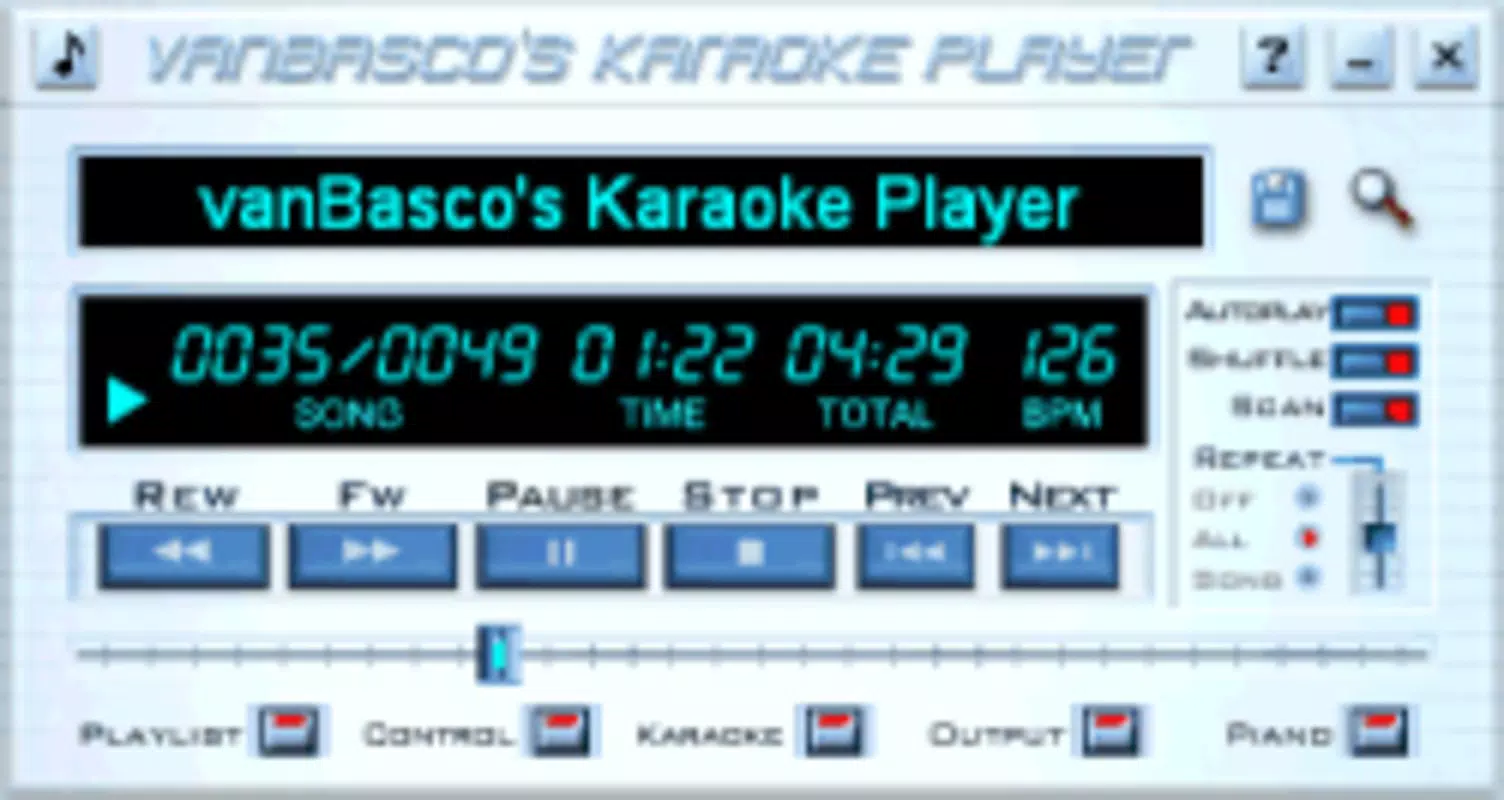
vanBasco features a straightforward interface designed for efficient navigation and real-time control. The layout emphasizes functionality, with essential playback and adjustment controls accessible from the main screen. Visual design is highly customizable, allowing users to adopt skins that match their aesthetic preferences, from retro themes to modern minimalist designs. Navigation is intuitive, with clearly labeled buttons for file loading, tempo adjustment, and lyric display settings.
Although the developer did not list formal performance metrics, the app’s lightweight size of 30.2 MB suggests efficient resource usage. It is expected to run smoothly on mid-range Windows systems, particularly those meeting basic multimedia requirements. Responsiveness during playback and real-time adjustments appears stable based on user reports, with minimal lag observed during tempo and volume changes. The application maintains consistent performance across different screen resolutions and window sizes, supporting both standard and high-DPI displays. Stability is further enhanced by the mature development cycle, with the software having been in use since 2004.
Platform Compatibility & Technical Requirements
vanBasco is designed for the Windows operating system. The current version, 2.0.4, is compatible with various Windows platforms, though specific OS requirements were not listed by the developer. The application has a file size of 30.2 MB, indicating a lightweight footprint that does not impose significant storage demands. Users can expect the software to function on systems with standard audio and graphics capabilities, particularly those capable of playing MIDI and karaoke files.
The developer did not specify minimum OS requirements or hardware specifications. Compatibility information was not fully disclosed. However, given the app’s age and file size, it is likely to run on older Windows versions such as Windows XP, Vista, 7, 8, and 10. For users on newer systems, compatibility mode may be required. The software is distributed as a free download, making it accessible to a wide audience seeking a dedicated karaoke solution without cost.
Pros and Cons
Pros
- Supports multiple audio and karaoke file formats for broad compatibility.
- Offers advanced controls for tempo, volume, and pitch adjustment.
- Full-screen lyrics display enhances audience engagement and performance accuracy.
- Highly customizable interface with support for third-party skins.
- Plugin architecture enables extended functionality and future-proofing.
- Free to download and use, reducing entry barriers for users.
Cons
- Not available for mobile platforms such as Android or iOS.
- Development and update frequency are not publicly disclosed.
- Compatibility with modern Windows versions may require troubleshooting.
- Limited documentation and support resources.
- Interface may appear dated to users accustomed to modern UI standards.
FAQ
Is vanBasco available for Android or iOS?
vanBasco is currently only available for Windows. There is no official mobile version for Android or iOS devices.
Can I use vanBasco with my existing karaoke files?
Yes, vanBasco supports .kar files as well as standard MIDI formats like .mid, .midi, and .rmi, making it compatible with most traditional karaoke libraries.
Is vanBasco safe to download and install?
vanBasco is a free application developed by a known developer in the karaoke community. It does not contain malware, but users should download from trusted sources to ensure security.
How do I install plugins in vanBasco?
Plugins can be added by downloading compatible files from community forums or official sources and placing them in the designated plugins folder within the application directory.
Does vanBasco require an internet connection?
vanBasco does not require an internet connection to function. However, internet access is needed to download skins, plugins, or additional content from external sources.
Final Thoughts
vanBasco remains a powerful and enduring tool for anyone seeking a customizable, feature-rich karaoke experience on their PC. Its support for multiple file formats, real-time song adjustments, and full-screen lyric display make it a standout choice for both casual users and serious performers. The ability to customize the interface and extend functionality through plugins adds long-term value, especially for users who prioritize control and personalization.
While the lack of mobile availability and limited modern updates may deter some users, the software’s stability, low system requirements, and free access ensure its continued relevance. For those using Windows and looking for a dedicated karaoke utility beyond standard music players, vanBasco delivers exceptional functionality. Its mature development history speaks to reliability and user trust.
Download vanBasco now


